
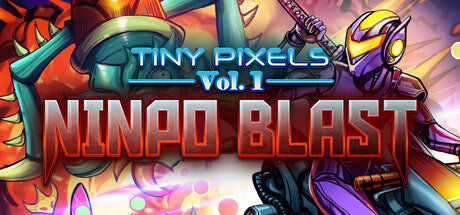
Tiny Pixels Vol. 1 - Ninpo Blast
Rs. 250.00
Delivered by email — usually within seconds of payment
Nothing is shipped. This is a digital code sent to the email address on your order.
Official codes sourced through an authorised distributor.
Prepaid payment only. Cash on delivery is not available for gift cards — there is nothing to deliver, the code is issued the moment payment clears.
Final sale. Once a code is issued it cannot be returned, refunded or replaced — keep the email safe, anyone with the code can redeem it.
Details
Get ready for retro vertical shoot’em up action where you’ll face off against swarms of mythical insect baddies using shuriken, bombs and more in the ultimate fight for survival! Switch between spread and focus shot types, unlock 4 unique hoverbikes, pick up coins and permanently upgrade weapons to stack the deck in your favor for the next exciting run. The more you play, the stronger you get! Stage elements are randomized to keep you on your toes across uniquely themed levels, each with dedicated original background music! Take down 6 unique boss types and challenge online leaderboards. Can you become a true ninpo master? Tiny Pixels Vol. 1 - Ninpo Blast is the first in a line of pixel art titles inspired by arcade and console classics! Features: Master bullet hell stages against swarms of insect baddies! Easily switch between focus or spread shot types. Collect coins to buy permanent upgrades, making you more powerful for future runs. Unlock new hoverbike skins to customize the experience! Face off against 6 big boss types and challenge online leaderboards. Enjoy unique background music and graphical themes across multiple stages!
How to redeem
How to Redeem Your Game on Steam Open Steam Launch Steam and sign in to your account. Add Your Game Click '+ Add a Game' in the bottom-left corner of the Steam window. Activate a Product Select 'Activate a Product on Steam' and follow the on-screen prompts. Enter Your Product Code When prompted, enter the key you received. Valid formats include: AAAAA-BBBBB-CCCCC AAAAA-BBBBB-CCCCC-DDDDD-EEEEE 237ABCDGHJLPRST Download & Play Once activated, the game will appear in your Library, ready to download and play whenever you like. Important: If you already own the game on Steam, activation will fail. Some Steam keys are region-locked. If you try to activate a key in a country the developer has restricted, you'll see an error - keys can only be activated in the country where they were purchased. How to Activate Your Game on GOG (Keyless Activation) Click 'Activate' You'll find this button in your order confirmation email or on the order details page. The game is added directly to your GOG account, so there's no key to enter. Log in to GOG You'll be redirected to the GOG login page. Already have a GOG account? Enter your email and password, then click 'Login Now'. New to GOG? Click 'Sign Up Now' and follow the steps to create an account. Complete the Activation Once you're logged in, the game will be added to your GOG library automatically. Download & Play Follow the on-screen instructions in your GOG account to download and install the game. Have fun! Important: If you already own the game on GOG, activation will fail. Keyless games can only be activated in the country where they were purchased. If you try to activate one in a region the developer has restricted, you'll see an error. The voucher is valid for 12 months from the date of purchase.
Terms & conditions
Minimum: OS: Windows 10 Processor: Intel Core i3-1005G1 Memory: 4000 MB RAM Graphics: Intel UHD Graphics Storage: 200 MB available space The voucher is valid for 12 months from the date of purchase.